AI history cleanup
Remove generator data, editing-software fields, comments, and embedded C2PA/JUMBF manifests from supported JPG, PNG, and WebP containers.
 Sputnik Digital Effects
Free Windows Image Privacy Tool
Images can carry their origin, the software used to create or edit them, and a hidden record of where they have been. AI Stripper removes embedded C2PA Content Credentials and other file-level metadata on your PC before you post, publish, or send an image. Optional AI Suggestions use a separate, disclosed provider request only when you start it.
Signed Windows app | No telemetry | Core processing local | Originals preserved
Privacy scan 01 Embedded file history
An image can name the generator or editing software that touched it. It may also carry a timestamp, location, device information, comments, or an old author field. That history can travel with the file when you share it.
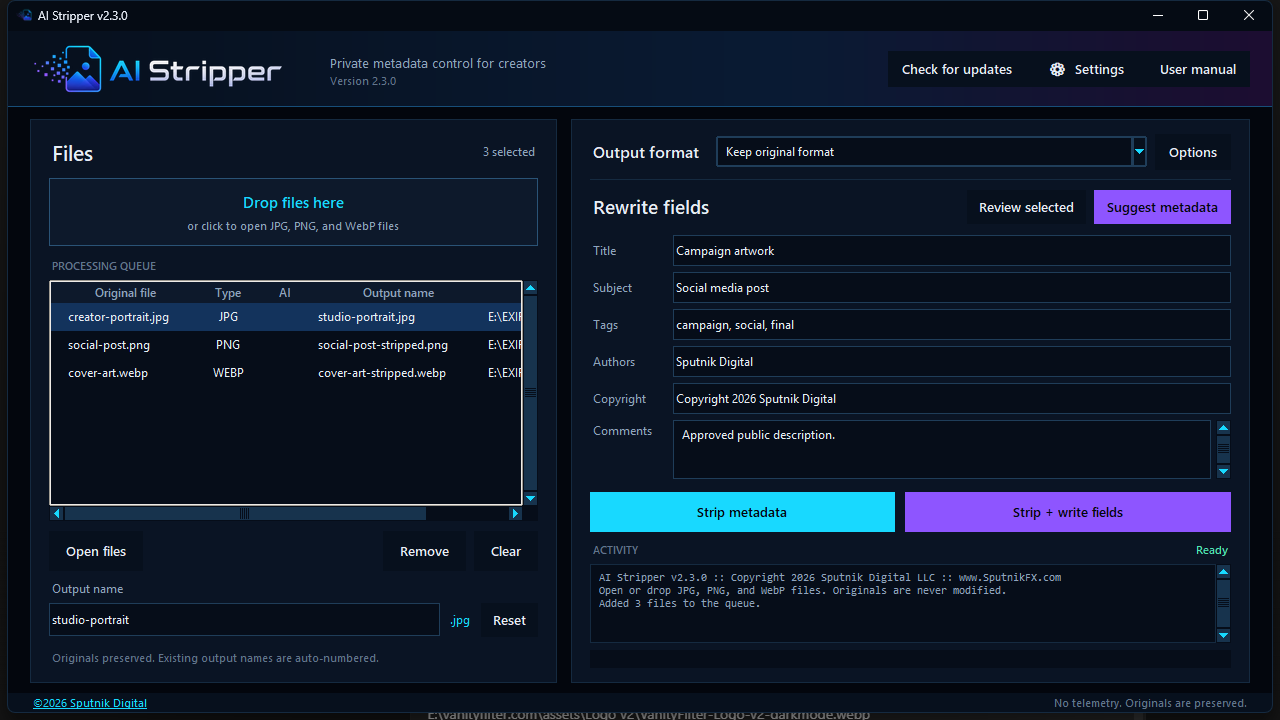
The exact fields depend on the file and the software that created it. AI Stripper checks supported JPG, PNG, and WebP containers, removes hidden metadata it finds, and lets you add a small public-facing field set only when you choose.
Privacy scan 02 Before the upload
Major social platforms may inspect embedded metadata when identifying or labeling AI-created or AI-edited images. Metadata is one signal. AI Stripper removes that file-level layer before upload, including embedded C2PA/JUMBF manifests from supported JPG, PNG, and WebP files.
It does not promise to prevent an AI label. A platform may also use pixel-based invisible watermarks, visual classifiers, perceptual fingerprints, user disclosure, or signals available only inside its own systems.
Privacy 01 Local processing
Stripping, rewriting, and conversion run locally. AI Stripper has no account system, analytics, or advertising SDK. Its notification-only version check carries the app version and receives release metadata. It does not include an image, filename, path, or device identifier.
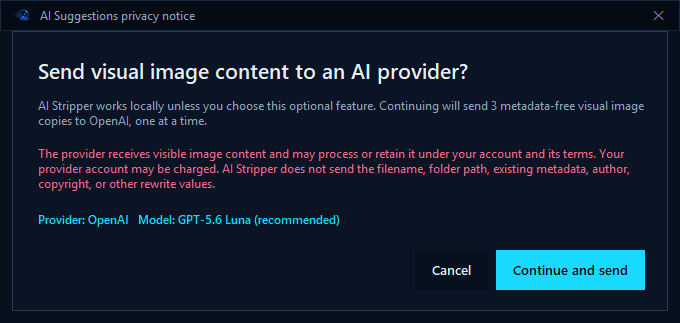
AI Suggestions are separate and optional. When started, the app asks for approval before sending one metadata-free, resized JPEG rendering at a time to the OpenAI or Gemini account configured by the user. Read the complete installation, update, and privacy guide.
Optional AI 01 Provider disclosure
Add your own OpenAI or Gemini API key in Settings, choose a supported vision model, then select Suggest metadata. The feature is off until you configure it and start it. Core image cleanup never depends on an AI provider.
AI Stripper displays the privacy notice every time. It sends pixels from a metadata-free JPEG copy resized to a maximum of 1600 pixels. The request excludes the source filename, folder path, existing metadata, and rewrite-field values.
Optional AI 02 Per-image review
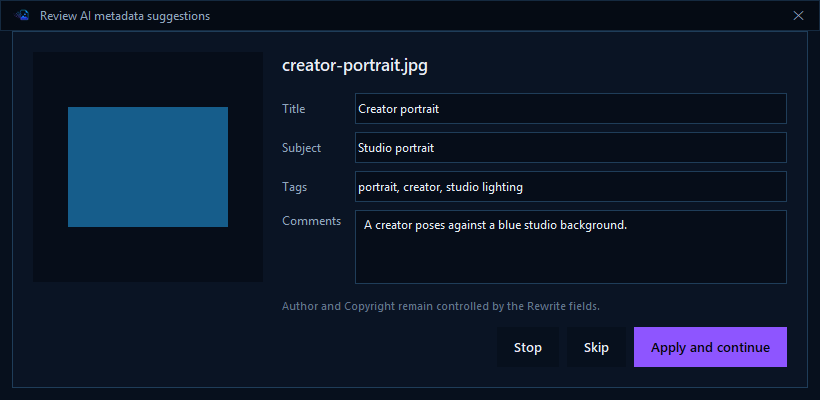
Suggestions arrive one image at a time for Title, Subject, Tags, and Comments. Edit the draft, apply it, skip the image, or stop the remaining queue. Accepted values appear in the rewrite fields and remain editable for that image. Author and Copyright are never inferred.
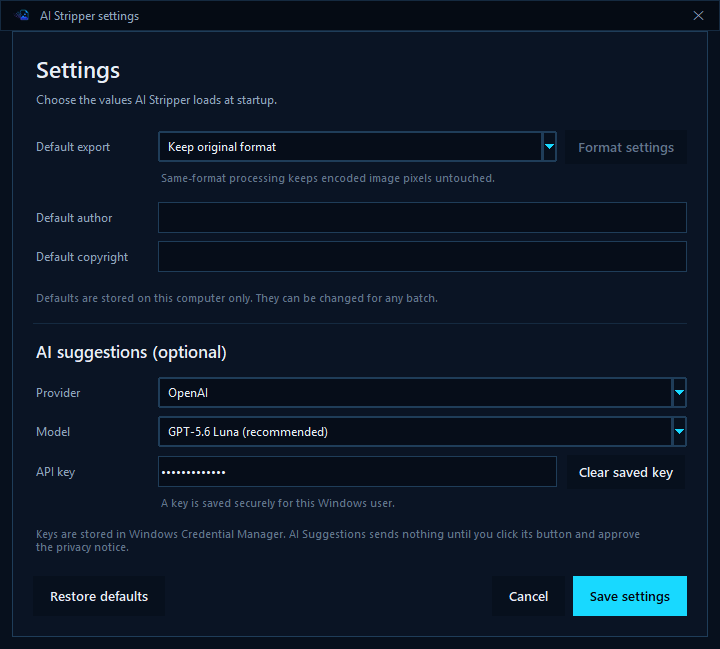
API keys are stored in Windows Credential Manager. Masked dots in Settings confirm that a key exists without loading the stored secret into the interface or settings file. Provider use may incur charges under the user's own OpenAI or Google account.
Publishing 01 Reviewed metadata
AI Suggestions can draft Title, Subject, Tags, and Comments before upload. Review the values, add the Author and Copyright you control, then use Strip + write fields to create a clean public metadata set instead of retyping the same description in every asset tool.
Compatible content-management and digital-asset systems can read embedded fields during import. WordPress core, for example, inspects supported IPTC and EXIF data and may use recognized values as attachment defaults. Exact behavior depends on the image format, upload path, and plugins.
That makes AI Stripper useful preparation for SEO and AI-search publishing workflows. It is not a ranking tool. Contextual alt text, captions, page copy, structured data, and crawlability still belong in the publishing system.
Prepare metadata for publishingOperation 01 Same-format stripping
Choose Keep original format and AI Stripper removes metadata without decoding or recompressing the encoded image. JPG scan data, PNG image data, and WebP image payloads stay intact. If removing an EXIF orientation value would change how the picture appears, AI Stripper stops and asks you to convert so the visible orientation can be normalized.
Select one queued image and edit Output name below the list. Each file keeps its own choice. Results save beside their sources; Reset or an empty name restores the -stripped default. Existing filenames receive a number. Neither strip action renames or overwrites the original.
Operation 02 Controlled output
A format change re-encodes the image, so AI Stripper opens the relevant options first. JPG exposes quality, chroma, progressive output, and a transparency background. PNG exposes compression. WebP offers lossless or lossy output with quality and encoding-effort controls.
Saved defaults can preload the output format, conversion choices, author, copyright, AI provider, and model. API keys stay in Windows Credential Manager, outside the settings file. A masked placeholder shows when the selected provider already has a saved key.
Understand stripping and conversion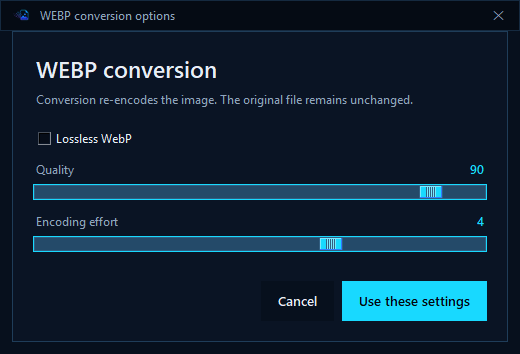
Operation 03 Working systems
The normal workflow is short. The choices that can change image data stay visible.
Remove generator data, editing-software fields, comments, and embedded C2PA/JUMBF manifests from supported JPG, PNG, and WebP containers.
Strip location, device, timestamp, XMP, and other embedded metadata that can travel with an image file.
Keep the original format and AI Stripper removes metadata without decoding or recompressing the encoded image data.
Convert to JPG, PNG, or WebP with visible format-specific controls before any image is re-encoded.
Replace the old history with a clean Title, Subject, Tags, Comments, Authors, and Copyright set when needed.
Choose an output name for each queued image. Results stay beside their sources, and existing filenames receive a number.
Ask OpenAI or Gemini for Title, Subject, Tags, and Comments, then review and edit every suggestion before writing it.
Use your own API key. AI Stripper stores it in Windows Credential Manager and shows masked dots when a credential is saved.
Build a reviewed descriptive field set before upload, then reuse compatible values in CMS, asset-library, SEO, and AI-search publishing workflows.
Release 2.3.2 Verified Windows build
The installer is the normal choice. A signed standalone executable is available for users who do not want an installed Start menu entry.
Windows should identify Sputnik Digital LLC as the verified publisher.
Installer SHA-256: B22110A541FFFDDEA7FAE971BACC3998D2EF0EE43CC8CD074A12E139A76F5BCF
Standalone SHA-256: 4DFA3EB87BF11AFAA1BA6C03055DF3008671D71CD7D752466AC9BB222D0008B0
AI Stripper removes EXIF, XMP, comments, generator data, embedded C2PA/JUMBF manifests, and unsupported metadata blocks from supported JPG, PNG, and WebP containers. It can also write six controlled replacement fields.
Yes. AI Stripper v2.3.2 removes embedded C2PA/JUMBF data from every supported format. It removes C2PA-bearing APP11 segments from JPEG files, the standard caBX chunk from PNG files, and the C2PA RIFF chunk from WebP files.
C2PA can also use durable credentials associated with an image through watermarking or fingerprinting. Removing the embedded manifest does not guarantee that every external provenance system will lose the association.
Not when you keep the original format. Same-format stripping preserves the encoded image data. Choosing a different output format re-encodes the image and opens the relevant conversion controls first.
Core stripping, rewriting, and conversion stay on the PC. The optional Suggest metadata action sends one metadata-free, resized JPEG rendering at a time to the OpenAI or Gemini provider selected by the user. AI Stripper shows a disclosure for approval every time, and the feature is never required.
No. It removes file-level metadata before upload, but a platform may also use invisible pixel watermarks, visual classifiers, perceptual fingerprints, user disclosure, or signals available only inside its own systems.
No. Same-format stripping deliberately preserves the encoded image data, so pixel-based invisible watermarks and visual fingerprints may remain. AI Stripper removes embedded file metadata, including tested C2PA/JUMBF manifest carriers in supported JPG, PNG, and WebP containers.
No. Platform rules, contracts, copyright obligations, and disclosure requirements still apply. AI Stripper gives you control over embedded file metadata. It does not change what you are required to disclose.
It can shorten image-publishing work by preparing reviewed descriptive metadata that compatible CMS and asset tools may read. WordPress core, for example, inspects supported IPTC and EXIF data during image uploads and may use recognized values as attachment defaults. Results vary by format, import path, and plugin. AI Stripper does not guarantee search rankings or AI citations, and embedded fields do not replace contextual alt text, captions, page copy, structured data, or crawlability.
No. Both strip actions create a new file beside its source. Use a custom output name or keep the -stripped default. Existing names receive a number, even when the chosen name matches the original.
Yes. The application and installer are signed and timestamped by Sputnik Digital LLC. The published SHA-256 checksums let you verify the exact release files.
Sputnik Digital Effects designs, develops, documents, signs, and publishes production Windows software.