

Crew 01
YouTubers and streamers
You shoot in 4K under a light that shows everything. Test the look on ten seconds, compare it instantly, then send the finished clip into your edit.
 Sputnik Digital Effects
Retouch your footage. Keep it on your machine.
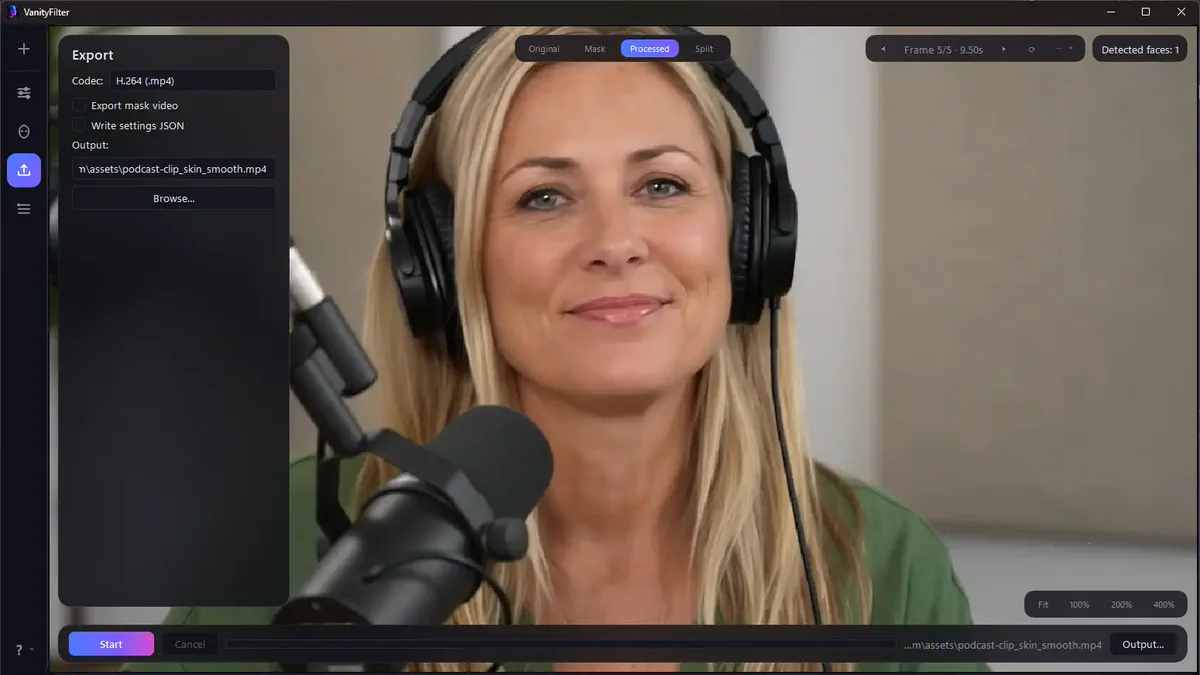
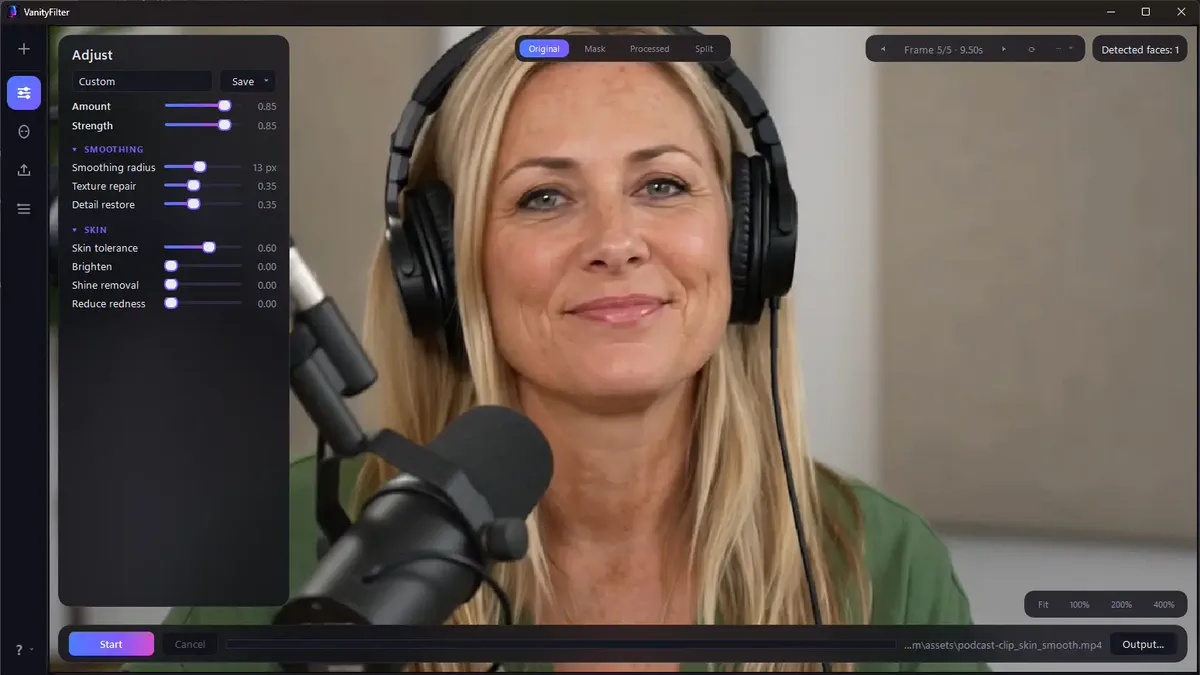
VanityFilter 2.8 gives Windows creators face-aware skin smoothing with a live before-and-after preview. Choose the people to treat, adjust the look, then export a short test or the finished clip. Processing and license checks run offline.
Code CCCP applies $5 off automatically. Normally $29.95, list $49. Windows 10 / 11 · v2.8.0
Video walkthrough · 2:06
Most skin smoothing looks like skin smoothing. Ours is built to survive a close-up: an edge-preserving filter on a skin-only mask, with texture put back on purpose.
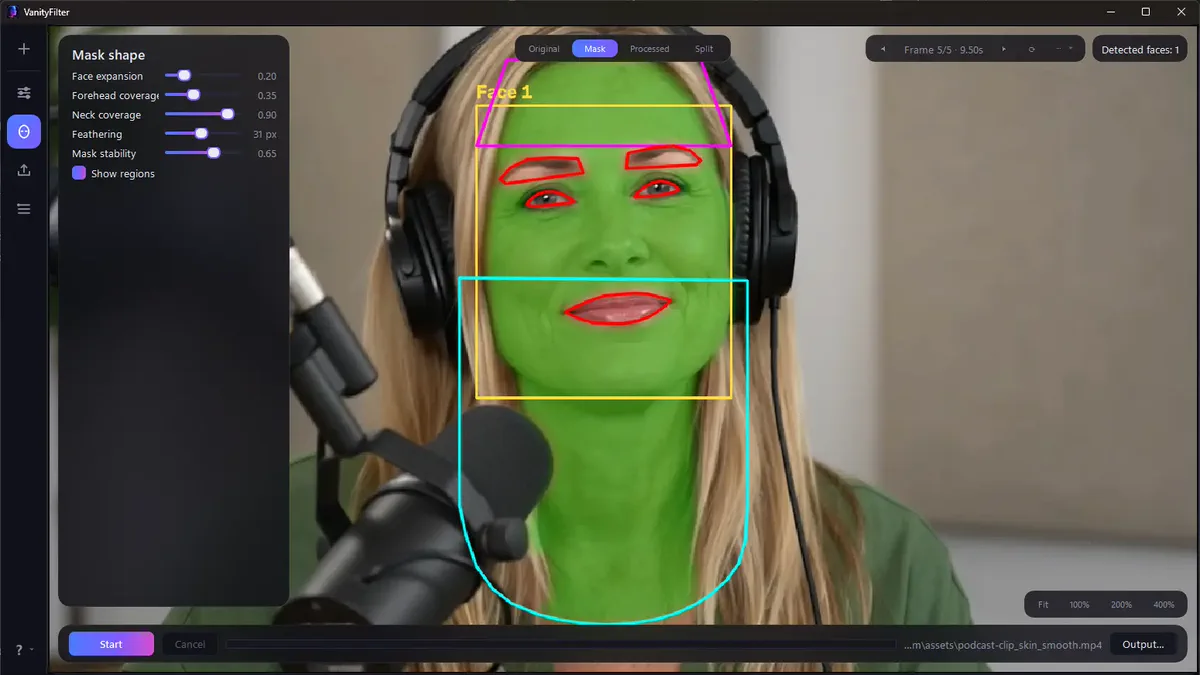
The trick is what the mask protects. Eyes, brows, and lips are cut out of it. A per-person segmentation gate keeps it off hair, shirts, and the wall behind you. Primary-face and minimum-size controls leave bystanders alone. Then the effect is blended, and a detail pass restores the pores the filter softened. The result reads as a good night's sleep, not a filter.
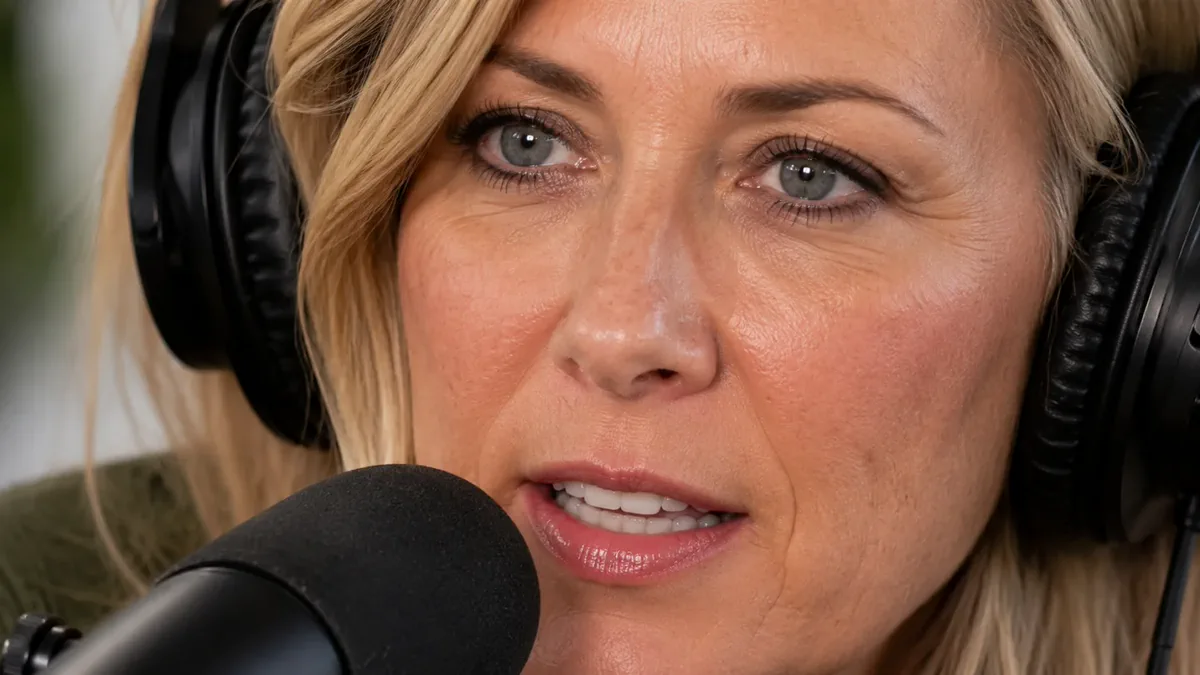

Anyone whose face is the product. If you are lit by one lamp and shooting in a resolution that shows every pore, this was built for you.
You shoot in 4K under a light that shows everything. Test the look on ten seconds, compare it instantly, then send the finished clip into your edit.
Two, three, five people around a table, all lit by the same unkind lamp. VanityFilter tracks up to five faces per frame, including the ones turned away.
Export ProRes 422 HQ, trim to an exact range, or send the skin mask out as a grayscale matte. Share the look itself as a portable preset file.
Interviews, courses, webinars, real estate walkthroughs, corporate talking heads. If a face is on screen, it can look like you slept.
You never have to trust it. The preview browser shows the source, the mask it built, the processed result, and a split, at any frame you pick, re-rendering live as you drag a slider.
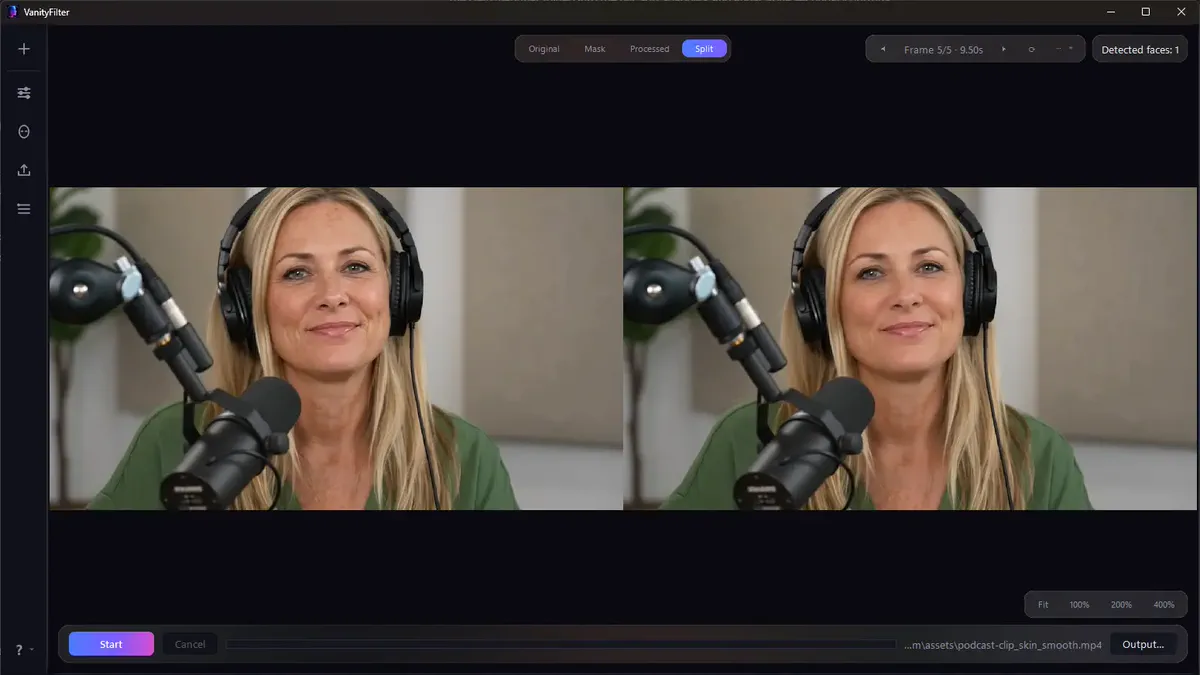
Your export choices stay ready for the next clip. Your finished result is one click away.
Released September 10, 2026, version 2.8 adds ear protection when facial landmarks are available and keeps experimental blemish repairs inside the skin mask. It carries forward the Latin American Spanish interface introduced in 2.7, with English and Spanish PDF manuals.
A soft mask boundary protects ears when facial landmarks are available. Protection is limited on full profiles or when tracking is lost.
The app remembers your output folder and codec, plus mask-video and settings-file preferences. Open the completed video or its folder from the Export panel.
Batch checks reject destinations that would replace a source and separate colliding output names. Temporary encoding protects an existing completed video if an export fails or is cancelled.
Warnings flag detected variable frame rate or inconclusive timing checks. Export remains constant frame rate; convert affected footage first to avoid possible audio drift.
Read the complete VanityFilter changelog
Explore the desktop application · Explore the website case study
Nothing here is a wrapper around somebody else's API. The engine, the interface, the licensing, and the release pipeline were all built in house.
A Windows desktop application and a scriptable command line twin, sharing one engine so both render identically.
Three models ship inside the installer, about 20 MB of them, so the app never calls home to think.
FFmpeg exports the processed video with source audio. Temporary encoding protects existing completed videos if an export fails or is cancelled.
Copy protection with no activation server, because a creator on a deadline should never be blocked by someone else's downtime.
One command turns source into a product: executable, installer, bundled models and codecs, manual, and license notices.
The heavy work is measured against real footage, then narrowed to the smallest useful region without changing the established presets.
No subscription, no seats, no cloud credits. Buy it through Sputnik and code CCCP takes $5 off at the door.
$29.95 $24.95
One-time payment. List price $49.
Code CCCP is applied at the store. Pay by card, Apple Pay, Google Pay, Cash App, or PayPal. No store account required.
$9.95
The full app, for 30 days.
Same checkout. The key simply stops after 30 days.
VanityFilter is what happens when this studio builds for itself: engine, interface, licensing, installer, and storefront, start to finish. If you have a product that needs the same treatment, open a channel.