What AI Stripper removes
AI Stripper removes EXIF records, XMP packets, comments, generator fields, and metadata blocks the clean output does not support.
That can include camera settings, capture dates, software names, editing history, descriptive text, and location records when they are embedded in the image. The exact source fields depend on the file and the application that created it.
AI Stripper does not claim that metadata is the only place private information can appear. Visible text, faces, reflections, filenames, and content inside the image still require human review.
How same-format stripping works
With Keep original format selected, AI Stripper rebuilds the surrounding file structure while preserving the encoded image payload:
- JPG scan data remains encoded as it arrived.
- PNG image-data chunks are carried into a clean container.
- WebP image payloads, including supported animation data, are preserved during same-format cleanup.
Same-format stripping does not decode the picture and save it again. If removing EXIF orientation would change the visible result, processing stops and directs you to conversion so the orientation can be normalized.
When conversion changes the image
Choosing a different output format decodes the source and writes a new image. This is useful when a workflow needs another format, but it is not a lossless metadata-only operation.
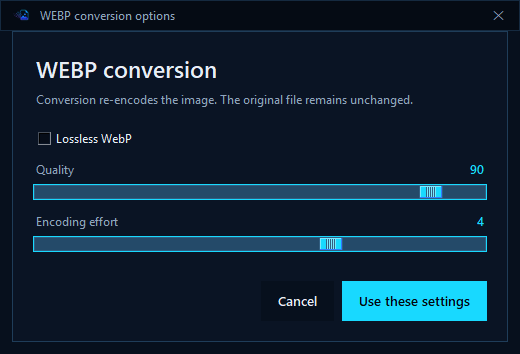
AI Stripper displays conversion options before processing. A transparent PNG or WebP converted to JPG needs a background color because JPG has no alpha channel. Animated WebP conversion is rejected rather than turning an animation into one frame without warning.
Format controls
| Format | Controls | Practical use |
|---|---|---|
| JPG | Quality 1 to 100, chroma 4:4:4 / 4:2:2 / 4:2:0, progressive output, transparency background. | Photographic output where smaller files matter and transparency is not needed. |
| PNG | Compression 0 to 9. | Lossless output, interface captures, diagrams, or images that need transparency. |
| WebP | Lossless switch, lossy quality 0 to 100, encoding effort 0 to 6. | Modern web delivery with a choice between lossless fidelity and smaller lossy output. |
Higher compression effort can take longer. Quality settings affect lossy output, not the source file. AI Stripper always creates a separate result.
The AI suggestion copy is separate
The optional Suggest metadata action does not upload the source file. AI Stripper decodes the visible pixels into a new metadata-free JPEG rendering and resizes it to a maximum of 1600 pixels before sending one image at a time to the selected OpenAI or Gemini provider.
That temporary analysis copy is independent of the output format selected for stripping or conversion. It does not replace the source or create the final output file.
The request excludes the original filename, folder path, source metadata, inherited JPEG comments, Author, Copyright, and other rewrite-field values.
Verify the completed file
Open the result in a normal image viewer and inspect the dimensions, transparency, animation behavior, and visible quality. If the image is for a publishing system, run it through that system before deleting any source copy.
For high-risk privacy work, use a second metadata inspection tool as an independent check. AI Stripper verifies its own output, but independent review is the right standard when a file may expose sensitive information.
Questions
Does removing metadata reduce image quality?
No when Keep original format is selected. Choosing another format re-encodes the result and can change quality or file size.
Can AI Stripper preserve animated WebP files?
Yes during same-format metadata stripping. Conversion of animated WebP files is rejected.
What happens to transparency when converting to JPG?
JPG cannot store transparency, so AI Stripper uses the background color selected in the JPG conversion options.
Continue through the AI Stripper manuals
Review Quick Start for the earlier part of this workflow.
Continue with Rewrite Fields and Saved Defaults.
Reference files Keep the manual nearby
Work from the complete release manual.
The versioned PDF covers every control, installation, privacy behavior, and troubleshooting step in AI Stripper 2.3.2.