00Systems check
What Markdown actually does.
Markdown is a lightweight markup syntax for documents that should remain readable before they are rendered. You write ordinary text, add a few structural characters, then a Markdown processor converts that source into HTML or another output format.
A number sign at the start of a line marks a heading. Asterisks can add emphasis. Brackets and parentheses form a link. The source still makes sense in a plain-text editor, version-control diff, terminal, or email.
There is no single Markdown implementation controlling every edge case. John Gruber's original syntax established the language. CommonMark later defined many ambiguous parsing rules, while products such as GitHub add extensions. The basic elements on this page work across nearly every serious processor when you follow the compatibility notes.
Once these elements are familiar, continue to the extended Markdown syntax guide for tables, task lists, footnotes, and features whose support depends on the destination.
Use blank lines around block elements, put a space after heading markers, keep list markers consistent, and prefer asterisks for emphasis inside words.
01Fast acquisition
Basic syntax quick reference.
Use this table when you know the element and only need the pattern. The detailed sections below cover parsing behavior and failure points.
| Element | Markdown | Result |
|---|---|---|
| Heading | ## Flight plan | Level-two heading |
| Paragraph | Blank line between blocks | Separate paragraphs |
| Bold | **launch ready** | launch ready |
| Italic | *in progress* | in progress |
| Blockquote | > Hold at T-10. | Quoted block |
| Ordered list | 1. Inspect | Numbered item |
| Unordered list | - Telemetry | Bulleted item |
| Inline code | `npm run build` | npm run build |
| Link | [Status](/status) | Linked text |
| Image |  | Image with alternative text |
| Horizontal rule | --- | Section divider |
| Escape | \*literal asterisks\* | *literal asterisks* |
02Document hierarchy
Headings.
Put one to six number signs at the start of a line. The count becomes the heading level: one marker produces an h1, two produce an h2, and the sequence continues through h6.
ATX heading levels
# Mission overview
## Flight plan
### Preflight checks<h1>Mission overview</h1>
<h2>Flight plan</h2>
<h3>Preflight checks</h3>Always put a space between the number signs and heading text.
Setext headings
Markdown also supports an underline form for the first two levels. A line of equals signs creates level one. A line of hyphens creates level two. This syntax is valid, but marker-based headings are easier to scan and extend beyond two levels.
Setext heading forms
Mission overview
================

Flight plan
-----------<h1>Mission overview</h1>
<h2>Flight plan</h2>Keep blank lines before and after headings. Without them, neighboring text can be parsed unpredictably.
Use one level-one heading for the document title, then move through levels in order. Do not choose a heading level because its default size looks better.
03Text flow
Paragraphs and line breaks.
A blank line separates paragraphs. Pressing Enter once usually keeps text in the same paragraph, even though the source moves to a new line. This lets teams wrap source text without changing the rendered document.
Separate paragraphs
The payload passed inspection.
The source can wrap here.

Launch remains scheduled for 09:30 UTC.<p>The payload passed inspection. The source can wrap here.</p>
<p>Launch remains scheduled for 09:30 UTC.</p>The payload passed inspection. The source can wrap here.
Launch remains scheduled for 09:30 UTC.
Do not indent an ordinary paragraph. Four leading spaces can turn it into a code block.
Hard line breaks
To force a break inside one paragraph, end the first line with two spaces before pressing Enter. Those spaces are invisible, which makes them easy to remove by accident. CommonMark also recognizes a backslash at the end of a line. The HTML <br> tag is another option where raw HTML is allowed.
Force a line break
Launch site: Cape Canaveral
Window: 09:30 UTC<p>Launch site: Cape Canaveral<br>
Window: 09:30 UTC</p>Launch site: Cape Canaveral
Window: 09:30 UTC
For maximum portability, use two trailing spaces. If your editor strips trailing whitespace, use a documented processor-specific alternative.
04Signal strength
Bold, italic, and combined emphasis.
Wrap text in one asterisk for italic, two for bold, or three for both. Underscores can produce the same elements, but asterisks are more predictable when emphasis appears inside a word.
Emphasis levels
Telemetry is *still arriving*.

The launch state is **GO**.

This warning is ***mission critical***.<p>Telemetry is <em>still arriving</em>.</p>
<p>The launch state is <strong>GO</strong>.</p>
<p>This warning is <em><strong>mission critical</strong></em>.</p>Telemetry is still arriving.
The launch state is GO.
This warning is mission critical.
Keep the markers tight against the emphasized words. Spaces inside the markers often prevent parsing.
A bold line is still a paragraph. Use a real heading when the text introduces a section so screen readers, search systems, and document outlines can understand it.
05Quoted transmission
Blockquotes.
Start a quoted paragraph with a greater-than sign. For a multi-paragraph quote, include the marker on the blank line between paragraphs. Add another marker to nest a quote.
Multi-paragraph blockquote
> The first signal arrived at 09:07 UTC.
>
> **Control:** Maintain the current trajectory.
>
>> Guidance confirms the correction.<blockquote>
<p>The first signal arrived at 09:07 UTC.</p>
<p><strong>Control:</strong> Maintain the current trajectory.</p>
<blockquote><p>Guidance confirms the correction.</p></blockquote>
</blockquote>The first signal arrived at 09:07 UTC.
Control: Maintain the current trajectory.
Guidance confirms the correction.
Put blank lines around the entire blockquote. Most processors allow headings, lists, links, and emphasis inside it.
06Sequence control
Ordered, unordered, and nested lists.
Ordered items begin with a number and period. Unordered items begin with a hyphen, asterisk, or plus sign. Use one marker style throughout a list. Consistency makes the source easier to review and avoids processor differences.
Ordered list
1. Inspect the payload.
2. Verify the checksum.
3. Open the launch channel.<ol>
<li>Inspect the payload.</li>
<li>Verify the checksum.</li>
<li>Open the launch channel.</li>
</ol>- Inspect the payload.
- Verify the checksum.
- Open the launch channel.
Start ordered lists with 1. The later source numbers can all be 1, but explicit numbering is easier to read outside the renderer.
Unordered and nested list
- Flight systems
  - Guidance
  - Telemetry
- Ground systems
  1. Network check
2. Recorder check<ul>
<li>Flight systems<ul><li>Guidance</li><li>Telemetry</li></ul></li>
<li>Ground systems<ol><li>Network check</li><li>Recorder check</li></ol></li>
</ul>- Flight systems
- Guidance
- Telemetry
- Ground systems
- Network check
- Recorder check
Indent nested items consistently. Two to four spaces work in many processors; four spaces are the safest choice for complex nested content.
Paragraphs and code inside a list
A list item can contain more than one paragraph, a blockquote, an image, or a code block. Indent the added block so the processor knows it belongs to that item. Fenced code is much easier to maintain inside a list than an indented code block.
If a bullet item must begin with text such as 1969. Apollo 11 launched, escape the period as 1969\. Apollo 11 launched.
07Literal channel
Inline code and code blocks.
Wrap a command, filename, variable, or short literal in one backtick. The processor will treat the contents as code instead of parsing Markdown markers inside it.
Inline code
Run `npm run build`, then inspect `dist/index.html`.<p>Run <code>npm run build</code>, then inspect <code>dist/index.html</code>.</p>Run npm run build, then inspect dist/index.html.
If the literal contains a backtick, wrap it in two backticks and leave a space between the outer markers and the content when needed.
Indented code blocks
Indent every code line by four spaces or one tab. This is part of basic Markdown, but it becomes difficult to maintain inside nested lists.
Indented code block
    const status = "go";
console.log(status);<pre><code>const status = "go";
console.log(status);
</code></pre>const status = "go";
console.log(status);Leave a blank line before the indented block so it cannot be mistaken for a continuation of the paragraph.
Fenced code blocks
CommonMark, GitHub Flavored Markdown, and most modern tools support code fences made from three backticks or tildes. An optional language name can enable syntax highlighting. Fences are easier to copy, nest, and review than four-space indentation.
Fenced block with a language
```javascript
const status = "go";
console.log(status);
```<pre><code class="language-javascript">const status = "go";
console.log(status);
</code></pre>const status = "go";
console.log(status);Syntax highlighting is not guaranteed. It depends on the renderer and its installed language rules.
08Section separation
Horizontal rules.
Put three or more hyphens, asterisks, or underscores on a line by themselves. Blank lines above and below protect the rule from being interpreted as a Setext heading underline.
Document divider
Telemetry complete.

---

Begin post-flight review.<p>Telemetry complete.</p>
<hr>
<p>Begin post-flight review.</p>Telemetry complete.
Begin post-flight review.
Use horizontal rules sparingly. A heading usually gives the next section more meaning.
09Navigation channel
Inline, automatic, and reference links.
An inline link puts the visible label in square brackets and the destination immediately after it in parentheses. Add a quoted title after the URL only when the extra tooltip is useful.
Inline link with a title
Read the [mission brief](/brief "Current mission brief").<p>Read the <a href="/brief" title="Current mission brief">mission brief</a>.</p>Read the mission brief.
Do not put a space between the closing bracket and opening parenthesis.
Automatic links
Angle brackets can turn a complete URL or email address into a link: <https://www.sputnikfx.com/>. Some processors detect bare URLs without brackets, but that behavior is an extension.
Reference-style links
Reference links move long destinations away from the sentence. The first part stays in the paragraph. A labeled definition can sit after that paragraph or at the end of the document.
Reference-style link
The [launch archive][archive] remains public.

[archive]: https://example.com/archive "Launch archive"<p>The <a href="https://example.com/archive" title="Launch archive">launch archive</a> remains public.</p>The launch archive remains public.
Reference labels are generally case-insensitive. Use short names that remain understandable when the source is reviewed.
Encode spaces as %20. Parentheses inside a destination may need percent encoding as %28 and %29, depending on the processor.
10Visual payload
Images and linked images.
Image syntax starts with an exclamation mark, followed by alternative text in square brackets and the asset path in parentheses. An optional quoted title may follow the path.
Image with alternative text
<img src="/logos/favicon/favicon.svg" alt="Sputnik Digital Effects icon" title="Sputnik Digital Effects">
Alternative text should describe the image purpose. Do not repeat a nearby caption word for word.
Linked images
Wrap the complete image syntax in link brackets, then add the destination:
[](https://www.sputnikfx.com/)
Basic Markdown has no portable image-sizing syntax. Use a properly sized source asset, a processor extension, or an HTML img element when the platform safely allows HTML.
11Literal characters
Escaping Markdown characters.
Add a backslash before punctuation when you need the literal character instead of its formatting behavior. This is useful for asterisks, list-like numbers, brackets, and other symbols that might start Markdown syntax.
Escape formatting markers
\*This text keeps its asterisks.\*

1969\. Apollo 11 landed on the Moon.<p>*This text keeps its asterisks.*</p>
<p>1969. Apollo 11 landed on the Moon.</p>*This text keeps its asterisks.*
1969. Apollo 11 landed on the Moon.
A backslash can itself be escaped with another backslash.
\`*_{ }[ ]< >( )#+-.!|
12Direct markup
HTML inside Markdown.
Many Markdown processors pass HTML tags through to the rendered document. HTML can handle details that basic Markdown does not express, such as image dimensions or specialized semantic elements. Support is a platform decision, not a guarantee.
Inline HTML
This status is <mark>under review</mark>.<p>This status is <mark>under review</mark>.</p>This status is under review.
Security-conscious platforms may sanitize or remove raw HTML. Never depend on scripts, event handlers, or unsafe attributes inside Markdown.
Put blank lines around block-level HTML such as div, table, or details. Markdown inside an HTML block may stop parsing unless the processor explicitly supports it.
13Cross-platform flight
Compatibility checklist.
The fastest way to make Markdown portable is to remove ambiguity from the source. These rules survive more processors, editors, static-site generators, and documentation platforms.
- Use blank lines around headings, lists, blockquotes, code blocks, and horizontal rules.Blocks should be visually separate in the source.
- Put a space after heading markers.Write
## Flight plan, not##Flight plan. - Use asterisks for emphasis inside words.Underscore behavior differs across processors.
- Start ordered lists with
1.and use periods.Parenthesis delimiters are less portable. - Keep unordered-list markers consistent.Do not switch between hyphens, plus signs, and asterisks in one list.
- Encode spaces and difficult punctuation in URLs.Raw spaces can terminate or break a destination.
- Use HTML only when the destination permits it.Some platforms sanitize tags or disable raw HTML completely.
- Preview in the processor that will publish the document.A README on GitHub and a local PDF export may not use identical extensions or styles.
Tables, task lists, footnotes, strikethrough, heading IDs, definition lists, and emoji shortcuts are useful extensions. The next field manual shows which systems support them and what to use when portability matters.
14Local working console
Write and inspect Markdown on Windows.
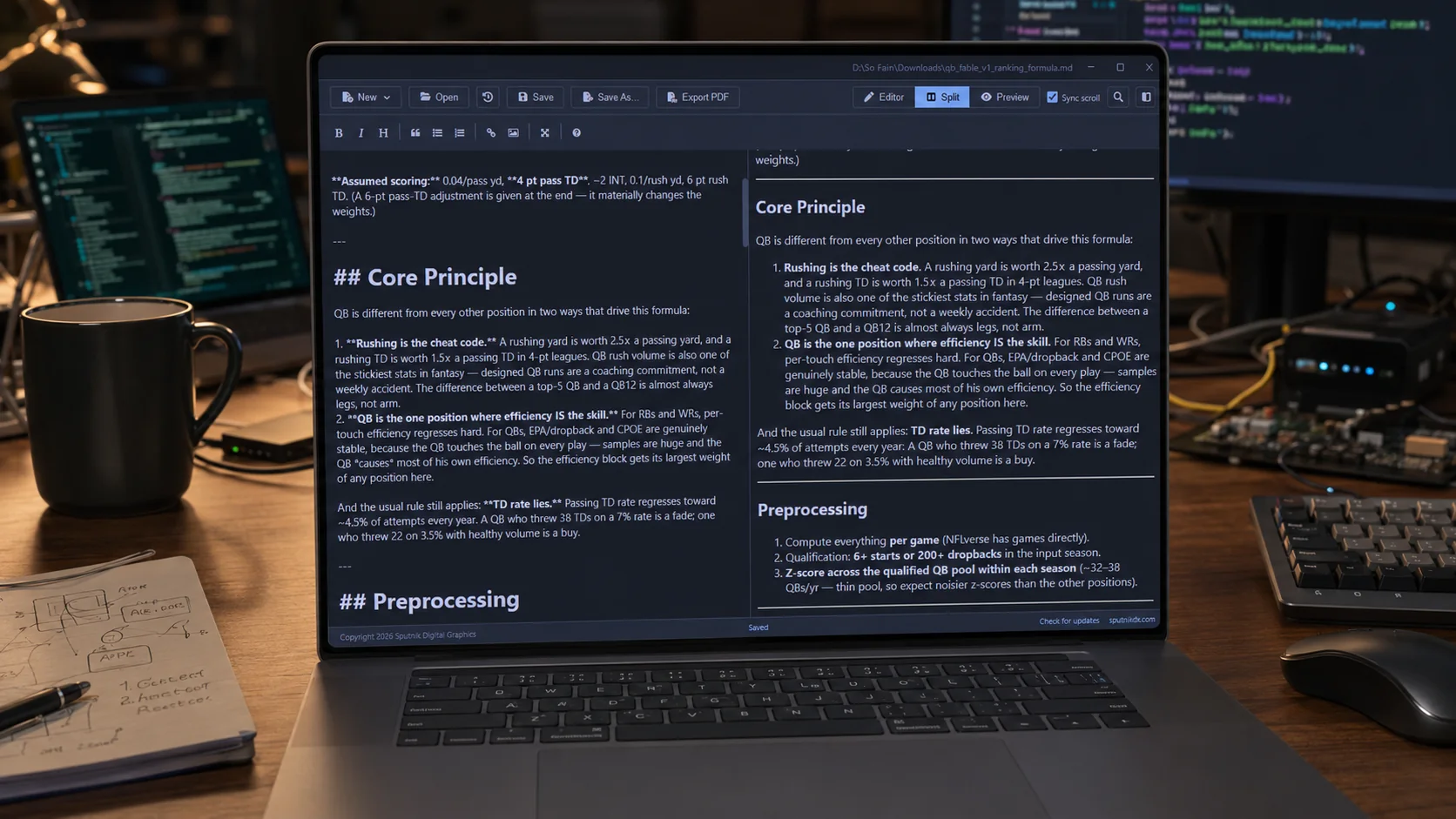
Sputnik Markdown Viewer keeps the source and formatted preview in one desktop window. Use editor, split, or preview mode, then export the rendered document to PDF without sending the file to a cloud workspace.
The current v1 release also includes recovery autosave, recent files, find and replace, optional synchronized scrolling, and drag-and-drop loading.
Inspect Markdown Viewer
15Direct answers
Basic Markdown questions.
What is Markdown?
Markdown is a plain-text formatting syntax. Punctuation such as number signs, asterisks, brackets, and backticks describes document structure while the source remains readable as text.
How do you make bold and italic text in Markdown?
Wrap text in two asterisks for bold, one asterisk for italic, or three asterisks for bold italic. Asterisks are generally the most portable choice inside words.
How do you start a new paragraph in Markdown?
Leave one blank line between blocks of text. Pressing Enter once usually wraps the source without starting a new paragraph.
How do you create a line break in Markdown?
End the first line with two spaces before pressing Enter. CommonMark also accepts a backslash at the end of the line, while an HTML br tag works only where raw HTML is allowed.
What is the difference between basic and extended Markdown syntax?
Basic syntax covers widely supported elements such as headings, emphasis, blockquotes, lists, links, images, and code. Tables, task lists, footnotes, strikethrough, and definition lists are extensions whose support depends on the processor.
SourcesSpecification channel
References and scope.
This field manual uses original examples and explanations. Syntax behavior was checked against the CommonMark 0.31.2 specification, John Gruber's original Markdown syntax documentation, and the coverage map in the Markdown Guide basic syntax reference.